


Webflow maintenance: what it includes, what it costs and when you need it

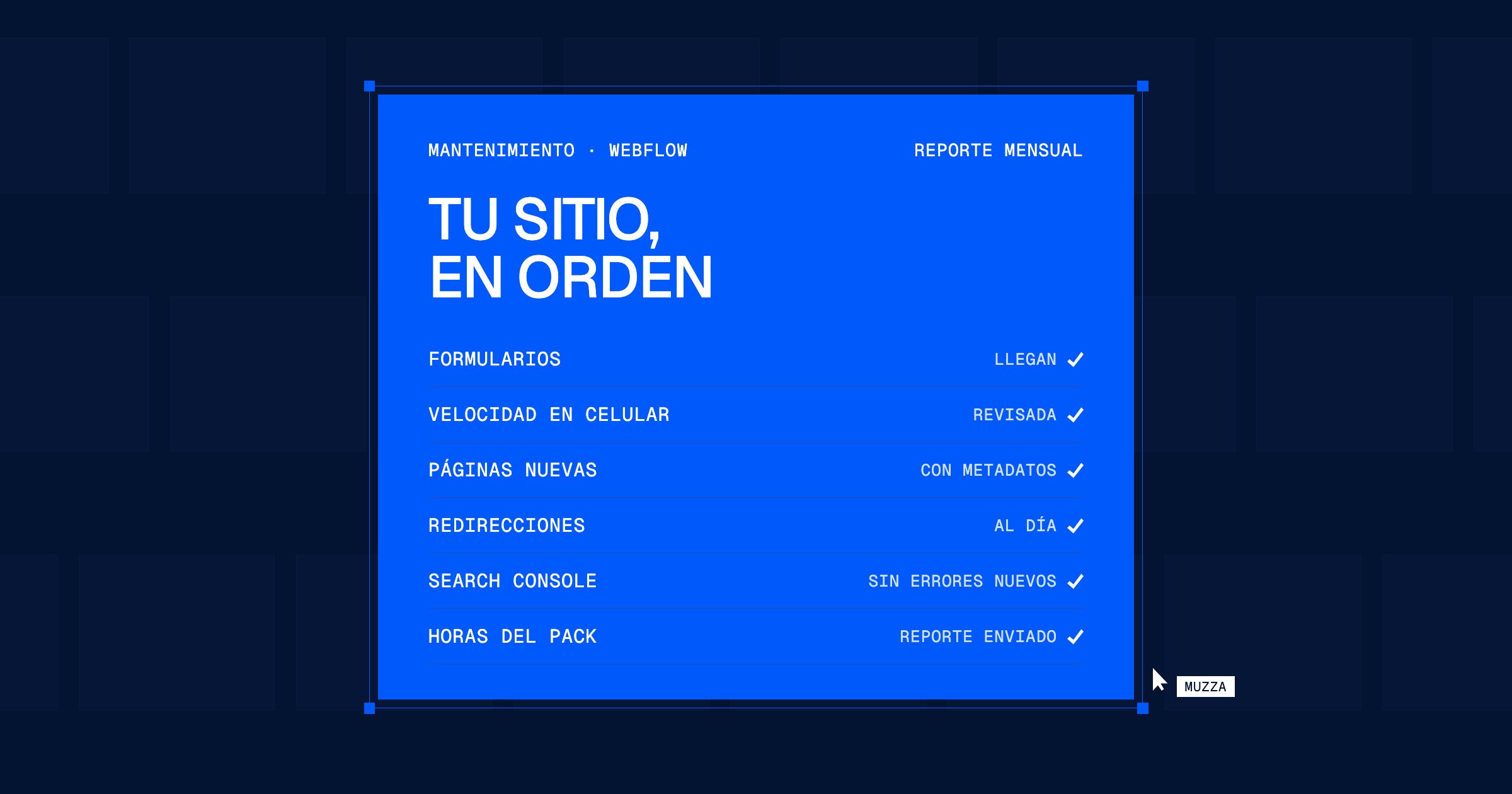
One of Webflow's advantages is that there are no plugins to update and no servers to look after. That is why many people assume that, once published, the site doesn't need maintenance. It does: Webflow handles the infrastructure, but content, forms, SEO and speed still depend on what happens on the site every week. In this article we explain what maintaining a Webflow site includes, what it costs and when you need it.
What Webflow handles and what is still yours
The Webflow plan includes hosting, an SSL certificate, server security, platform updates and backups. That is far less work than WordPress, where every plugin is a pending update.
What the plan doesn't handle is what your team does with the site:
- Content and CMS. New pages without a title or description, collections that grow without order, old content nobody reviews.
- Forms and integrations. A form that stops reaching the CRM can go unnoticed for weeks.
- SEO. Every URL that changes or gets deleted needs a 301 redirect so you don't lose rankings.
- Speed. One ten-megabyte image uploaded from a phone is enough to make the home page load slowly.
- Plan and access. CMS limits, the plan you pay for and who has access to the project.
What a maintenance plan includes
This is how we handle Webflow support at Muzza:
- A monthly hour package for changes, campaign landing pages, improvements and checks.
- Requests through the channel you already use: email, Slack or WhatsApp.
- Delivery in 24 to 72 hours depending on urgency, with a link so you can see the change before it goes live.
- A heads-up at 80% of the package, so you can decide whether to add hours or wait for the next month. We never stop work without telling you.
- A monthly report with the hours used, the changes made and what we recommend for the next month.
How much Webflow maintenance costs
At Muzza, a monthly maintenance plan ranges from USD 200 to USD 800 per month, depending on the number of hours in the package. How many hours you need depends on how much your site changes: a corporate site touched once a month is not the same as one with new campaign landing pages every week.
That amount doesn't include the Webflow plan, which is paid separately to Webflow and stays in your company's name.
Monthly plan or one-off hours
You don't have to buy a package. We can also work with one-off hours or per project. The difference is the price: the package has a preferred rate because it means a predictable volume of work.
- A monthly plan makes sense if your team asks for changes every month, if you launch campaigns often or if the site is an important source of leads.
- Hours or a project make sense if the site changes little and you only need occasional help, or if you have a specific project such as adding a language or redesigning a section.
Monthly checklist for a Webflow site
Whether or not you have a plan, these are the checks worth doing once a month:
- Test that every form reaches the right person.
- Check the speed of the home page and new pages on a phone.
- Compress and resize the images the team uploaded.
- Fill in the title, description and share image for every new page.
- Set up a 301 redirect for any URL that changed or was deleted.
- Check Search Console: unindexed pages and new errors.
- Check plan usage and CMS limits.
- Review who has access to the project and remove anyone who no longer needs it.
If after reading the list you think "nobody does this", that answers whether you need maintenance.
FAQs
Does a Webflow site need maintenance if it has no plugins?
It needs less than WordPress, but yes. Webflow handles the infrastructure; content, forms, SEO and speed depend on what is done on the site.
What happens if I run out of hours in the package?
We let you know when you reach 80%. You can add extra hours or wait for the next month.
How long does each change take?
Depending on urgency, between 24 and 72 hours. We send you the link so you can approve it before it goes live.
Can you maintain a Webflow site built by another studio?
Yes. We start with a review of the project to understand how it is built and what is worth cleaning up before adding changes.
Does your Webflow site need someone?
Tell us how your site is doing today and we will suggest the hour package that makes sense for your team.
How much does a website cost in Argentina? What drives the price

It's time to put the pizza in the oven
